







Smart Home Setup Guide: How to Build a Smarter, Safer, and More Convenient Home in 2025
Introduction
A few years ago, smart homes sounded futuristic — lights turning on automatically, thermostats learning your habits, and appliances talking to each other. But by 2025, smart home technology has become affordable, reliable, and easy enough for anyone to set up. Whether you live in a small apartment or a large house, you can use smart devices to make your living space more comfortable, secure, and energy-efficient.
This guide explains everything you need to know about building your own smart home, from understanding the basics to choosing the right devices and setting them up properly.
What Is a Smart Home?
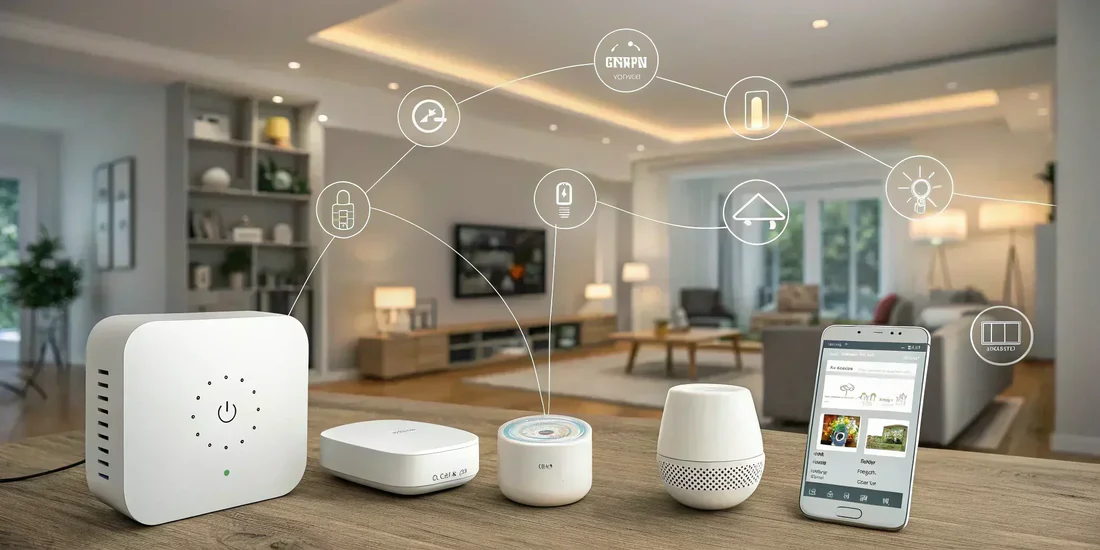
A smart home uses connected devices that can communicate with one another, often through the internet or a local network. These devices can be controlled using voice commands, mobile apps, or automated routines.
For example, a smart thermostat can adjust the temperature when you leave home, lights can turn on at sunset, and security cameras can alert you if motion is detected. The goal of a smart home is not just convenience — it’s comfort, energy efficiency, and peace of mind.
Step 1: Understand the Smart Home Ecosystem
Before buying devices, it’s helpful to understand the “ecosystem” idea. Each smart device communicates using a platform or ecosystem such as Google Home, Amazon Alexa, Apple Home, or Samsung SmartThings.
These platforms act as the central hub — you control all connected devices from one app or by using voice assistants.
When planning your setup, it’s usually easiest to choose one main ecosystem and buy devices that are compatible with it. This keeps everything running smoothly and avoids confusion later.
Step 2: Choose a Smart Hub or Controller
A smart hub is the brain of your smart home. It connects your devices, helps them communicate, and allows automation. Many modern systems (like smart speakers or displays) act as hubs automatically.
Here’s what to consider:
- Compatibility: Make sure the hub works with the devices you want.
- Voice Assistant: Choose one that fits your preference — Alexa, Google Assistant, or Siri.
- Connectivity: Some hubs work over Wi-Fi, others use Zigbee, Z-Wave, or Thread. These wireless standards allow multiple devices to interact even if the internet is down.
If you’re starting small, you might not even need a separate hub — a smart speaker can control several devices right away.
Step 3: Plan Your Smart Home Setup
Start with a plan. Think about which areas of your home would benefit most from automation.
Common zones include:
- Living room: Smart lighting, media control, and smart plugs.
- Bedroom: Smart thermostat, smart lights, and automated curtains.
- Kitchen: Smart appliances and voice-activated timers.
- Entryway: Smart locks, doorbell cameras, and motion lights.
You don’t need to buy everything at once. Begin with a few essential devices and expand over time.
Step 4: Install Smart Lighting
Lighting is often the easiest and most rewarding place to start. Smart bulbs and switches let you control brightness, color, and scheduling.
Benefits include:
- Turning lights on or off remotely using your phone.
- Setting schedules (e.g., dim lights in the evening).
- Creating scenes — for example, “movie night” or “reading mode.”
- Saving energy with automatic shut-off when rooms are empty.
In 2025, most smart bulbs are compatible with all major ecosystems, and many support Matter, a universal standard that allows devices from different brands to work together easily.
Step 5: Add Smart Security and Safety Devices
Security is one of the most popular uses of smart home technology. Devices like smart doorbells, cameras, and locks add peace of mind and convenience.
Key options include:
- Smart doorbells: Let you see and talk to visitors from anywhere.
- Smart locks: Allow keyless entry and remote control for guests.
- Cameras: Provide live video feeds, motion alerts, and night vision.
- Sensors: Detect motion, window opening, smoke, or water leaks.
When setting up, place cameras where they can cover entry points but still respect privacy inside your home.
Step 6: Control Temperature with a Smart Thermostat
Smart thermostats learn your habits to maintain comfort and reduce energy bills. For example, they can lower the temperature when you’re away and warm your home before you return.
Many utility companies in the U.S. even offer rebates for installing energy-saving smart thermostats.
Set up your thermostat through your chosen ecosystem so it can work with other devices — for example, turning off heating or cooling when windows are open.
Step 7: Manage Energy and Appliances with Smart Plugs
Smart plugs turn regular devices into smart ones. You simply plug them into a wall outlet and connect them through your app.
They allow you to:
- Turn devices on or off remotely.
- Set schedules for lamps or coffee makers.
- Monitor energy use.
They’re an inexpensive and flexible way to expand your smart home.
Step 8: Improve Comfort with Smart Sensors and Automation
Smart sensors can make your home react intelligently to your behavior. For example:
- A motion sensor turns on hallway lights when you walk at night.
- Temperature sensors adjust fans or heating automatically.
- Window sensors help manage energy by adjusting curtains or blinds.
Automation rules, sometimes called “routines,” let devices work together. For example:
- “Good morning” routine: open blinds, start coffee maker, and adjust lighting.
- “Away mode”: lock doors, lower thermostat, and turn off lights.
These small automations save time and energy while improving daily comfort.
Step 9: Enhance Entertainment
Modern smart homes aren’t just about utility — they’re also about entertainment. Smart TVs, streaming speakers, and voice-controlled audio systems can integrate with your other devices.
Imagine saying, “Movie time,” and watching your system dim the lights, close the blinds, and start your favorite film automatically.
Step 10: Keep Everything Secure and Private
Because smart homes rely on internet connectivity, security and privacy are essential.
Follow these best practices:
- Use strong, unique passwords for each account.
- Regularly update firmware to fix security vulnerabilities.
- Connect devices only to secure, trusted networks.
- Review app permissions and limit data sharing when possible.
Choosing reputable brands that follow strong privacy standards will also reduce risks.
Common Mistakes to Avoid
- Mixing incompatible ecosystems: Always check compatibility before buying.
- Skipping Wi-Fi checks: Ensure your network is strong enough to handle multiple devices.
- Over-automation: Too many routines can get confusing or annoying. Start simple.
- Ignoring privacy settings: Review what data is being stored or shared.
The Future of Smart Homes
The smart home industry is rapidly evolving. By 2025, more devices support Matter, a universal communication standard that allows gadgets from different brands to connect easily. Artificial intelligence is also making homes more predictive — adjusting settings automatically based on your behavior and preferences.
Energy efficiency is another major trend. Many new devices are designed to minimize energy waste and integrate with solar panels or home batteries. Smart homes are becoming not just more convenient but also more sustainable.
Conclusion
Building a smart home in 2025 is easier than ever. With thoughtful planning, you can create a living space that’s comfortable, energy-efficient, and secure. Start small — maybe with lighting or a thermostat — and expand over time as you learn what works best for your lifestyle.
The right setup will make your home feel more responsive and convenient while saving energy and enhancing peace of mind.





Post Comment